

Loading...
The Operations - Availability section will give you a calendar overview to help manage bookings for:
-Vehicles
-Drivers
-Suppliers (DCO)
You can easily search and view bookings allotted to the above for the month in this section

Go to Operations - Availability - here you can filter the search easily by Date range, Vehicles, Suppliers and Driver

1- Type here to filter by:
Enter the vehicle name, vehicle number, vehicle group, driver name or DCO supplier name to search with
2- Date range:
Select the date range for which you want to view data from
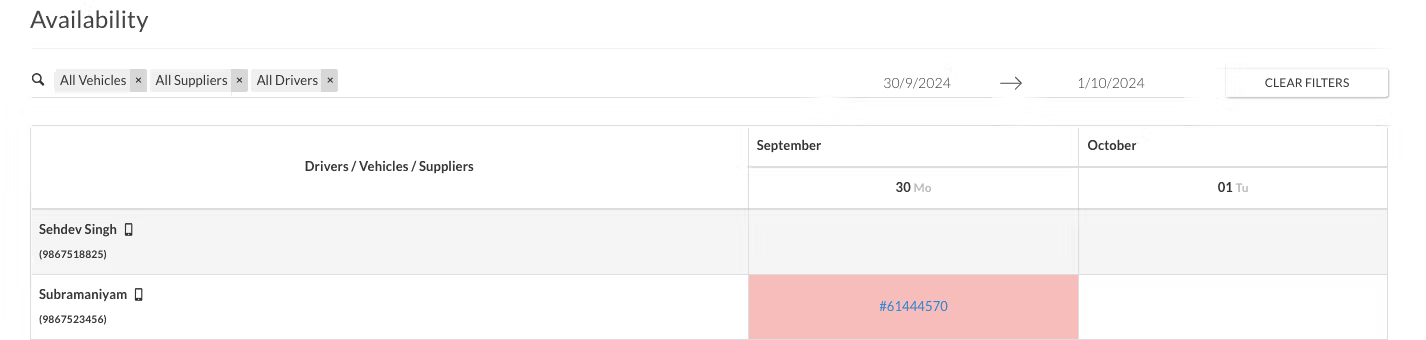

If a Vehicle, Driver, or Supplier DCO has been allotted a duty for a particular date, you will be able to see the column of the particular date highlighted in red along with the Booking ID.
Was this Helpful?
5 users found this article helpful
