

Loading...
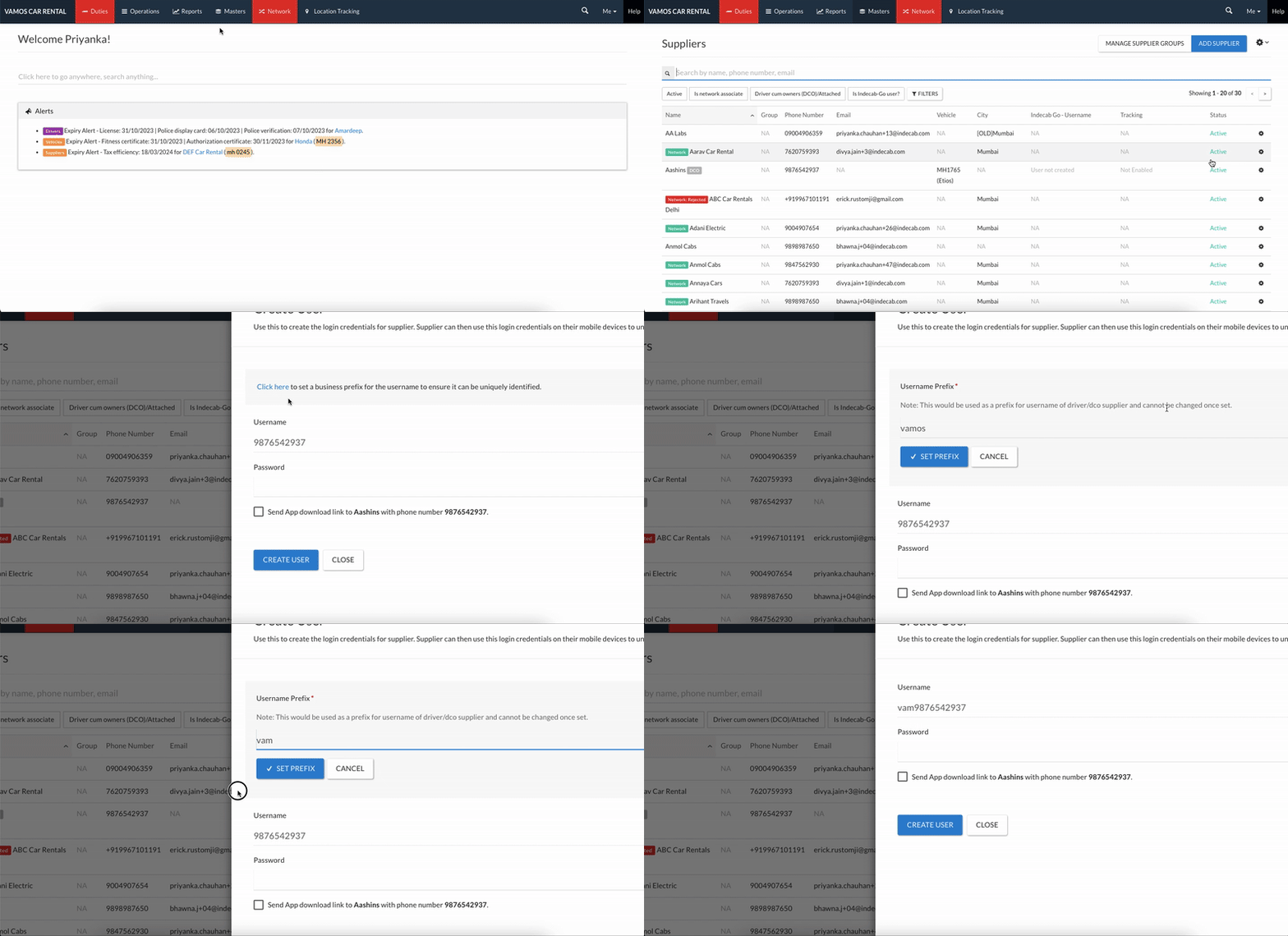
To create a user account for a DCO supplier, go to Masters - Suppliers and click on the small gear icon next to a DCO supplier’s listing and click on Create User - select ‘Create Prefix’ - Enter a company prefix following which the user mobile number will be used
Business prefix is a unique code for your company that is used to create Indecab Go Driver app users, this is useful for DCO supplier as if the number is already in user for a different company through the use of unique prefix you will still be able to create Indecab Go Driver app user for the supplier.
Note:
1- Business prefix is an optional feature
2- Once a prefix code has been set it cannot be changed
3- Prefix can only be in small characters, not numberic and maximum 6 characters long
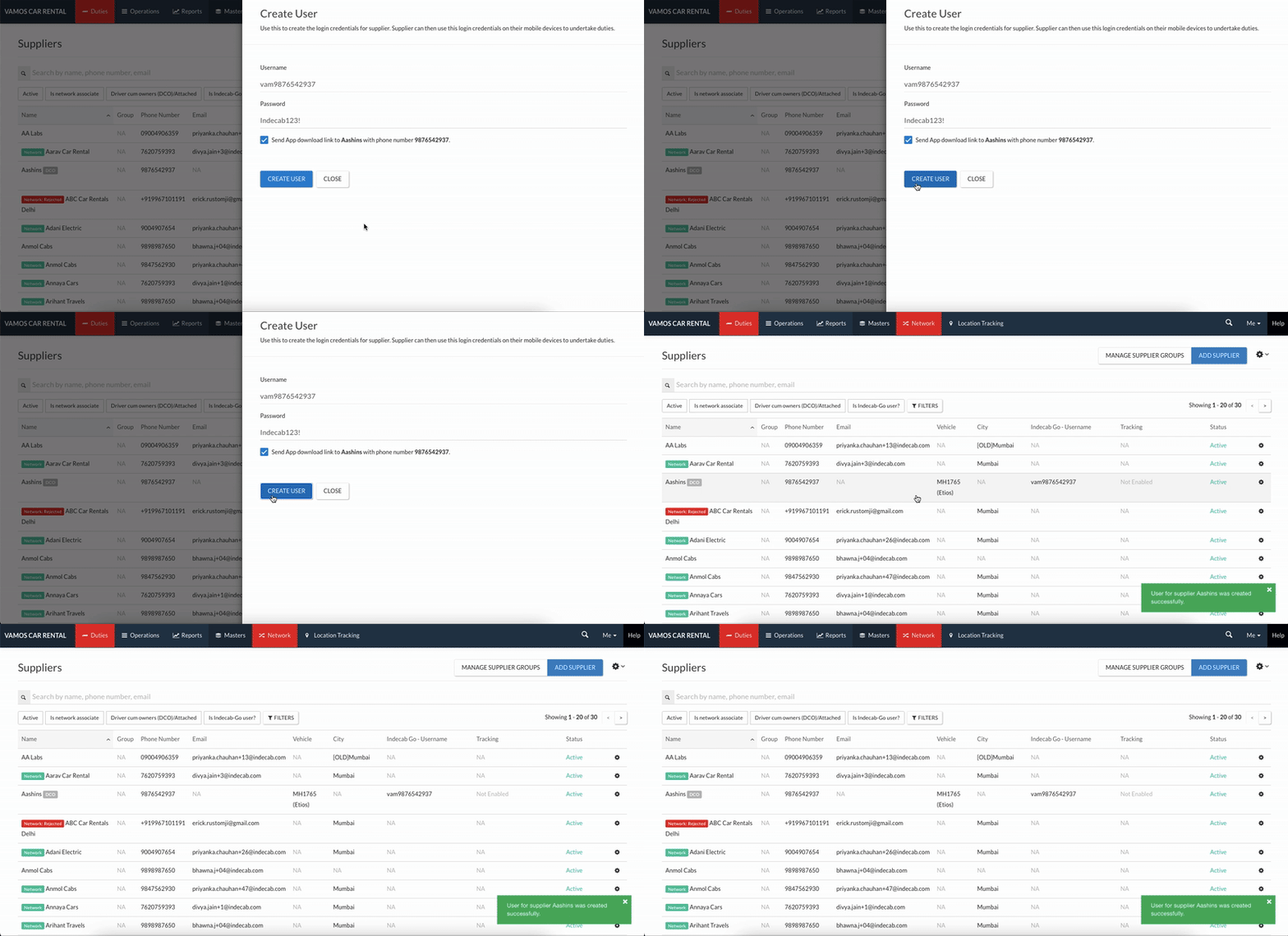
The username will be the set prefix followed by DCO's mobile number - Now enter a password - Tick the checkbox next to Send App Download link to … - Click on Create User
Was this Helpful?
336 users found this article helpful
