

Loading...
What you'll need
| Login type | Who it's for | What they can do |
|---|---|---|
| Passenger login | A regular traveler | Manage their own bookings only |
| Employee login | Someone on the admin team | Manage bookings on behalf of other passengers, as well as performs administrative tasks |
As roles change within a corporate account, you may need to convert an existing passenger login into an employee login instead of creating a new account from scratch.
This article explains what each login type means, when a conversion is required, and how to convert a passenger login into an employee login.
Passenger login: A login created by the corporate for a regular passenger, allowing that individual to manage their own bookings independently.
Employee login: A login held by someone on the corporate's admin team who manages bookings on behalf of the corporate's passengers or performs other administrative roles such as managing bookings,, managing invoices, view reports etc.
When should you convert a login
Passenger to Employee
Convert when someone who currently uses the passenger app needs to start using Indecab as an admin.
Employee to Passenger
Convert an employee's login back when you're removing their administrative responsibilities — for instance, if they no longer need to manage bookings or other admin tasks on behalf of the corporate, and only require access to their own bookings going forward.
Learn how to convert a passenger login into an employee login.
Follow these steps to convert a passenger login into an employee login:
a. Open the Passenger list from Masters > Employee/Passenger.
b. Find the passenger you want to convert.
c. Click the gear icon next to their name.
d. Select ‘convert to employee’ from the dropdown list.
e. You'll see a confirmation: '[Name] was successfully converted as an employee.'
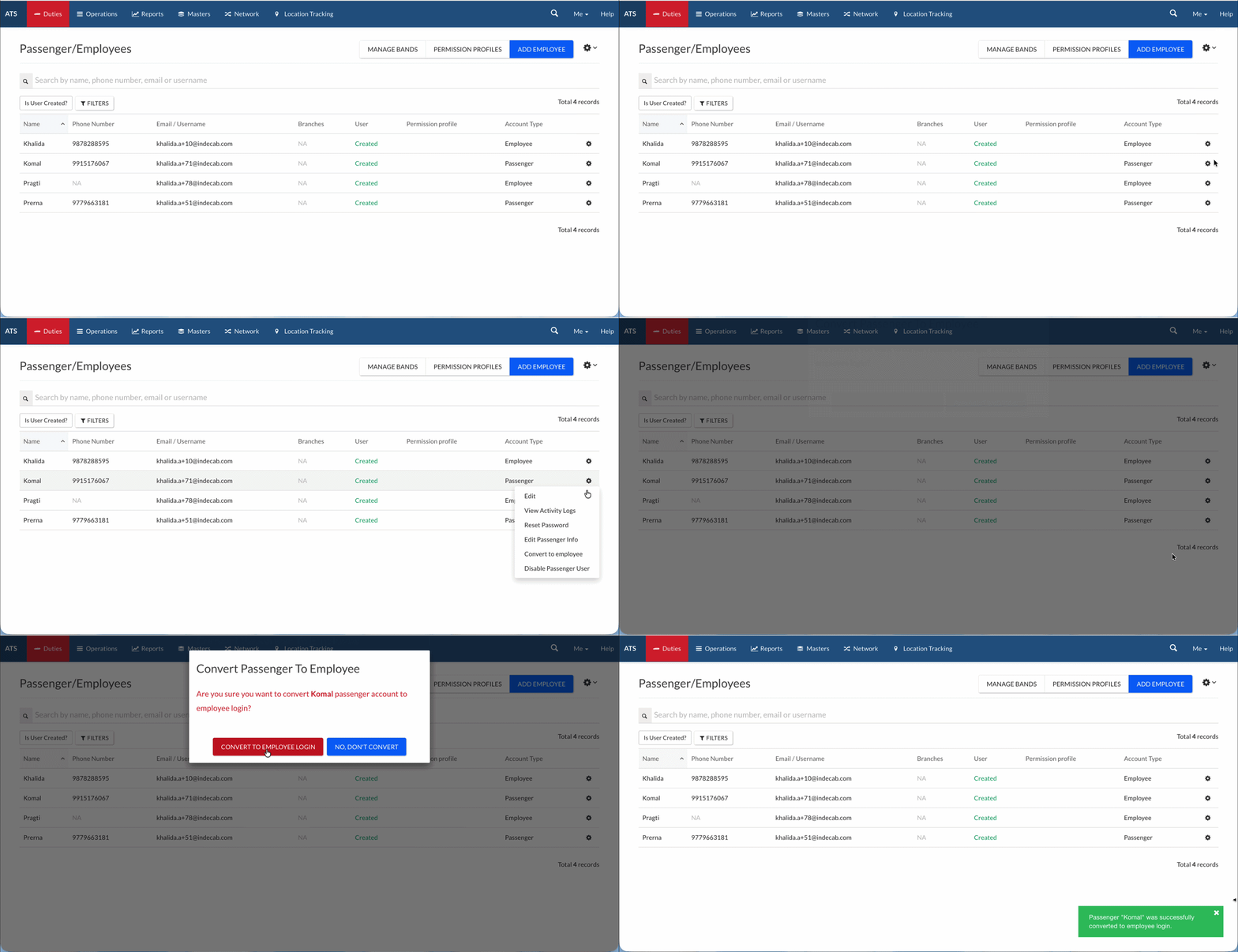
Good to know: You can switch this back at any time — just click the gear icon again and select 'Convert to Passenger.'
Once the conversion is done, the next (important!) step is managing employee permissions. These permissions restrict or allow what the new employee can see and do on behalf of other passengers.
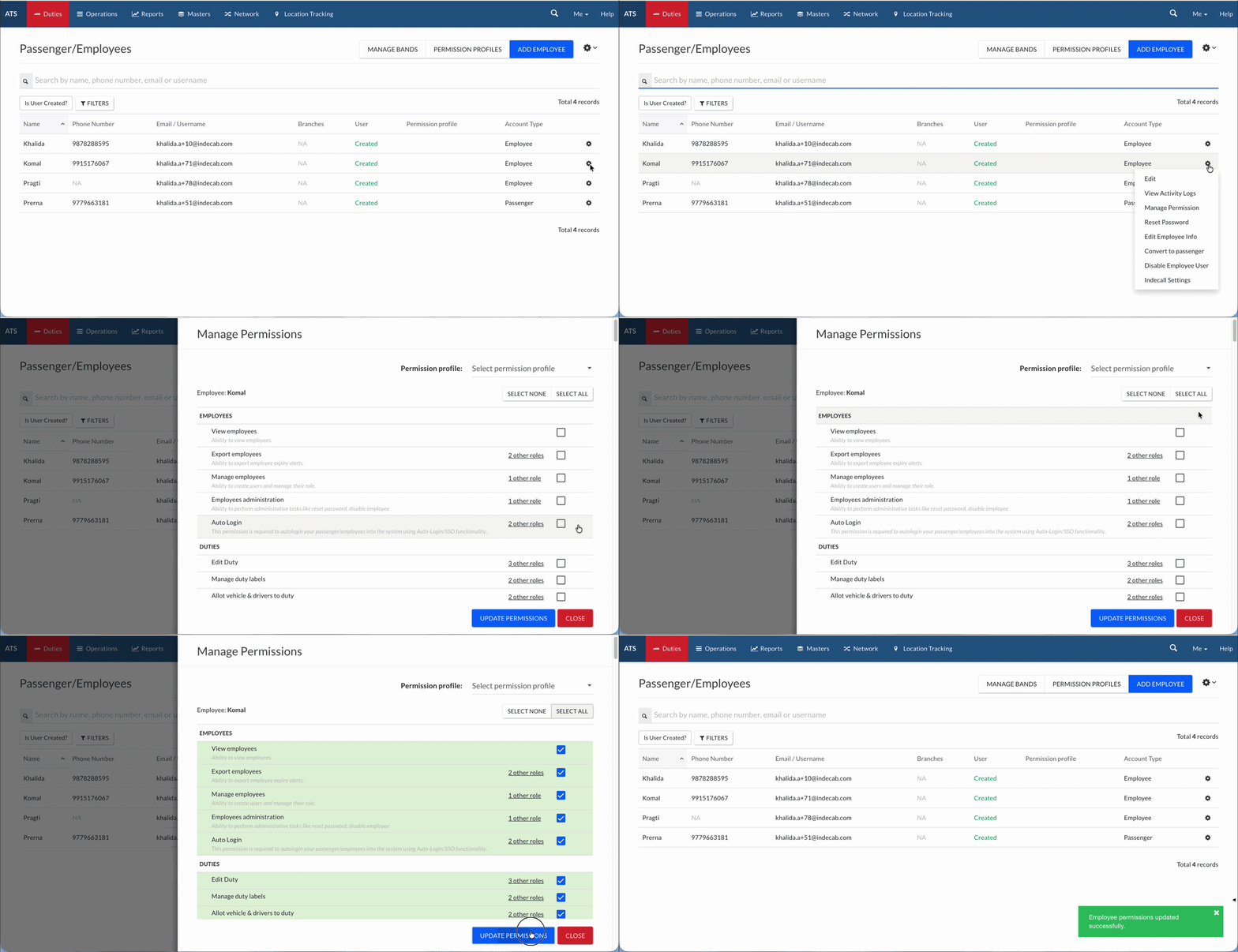
Don't skip this. Employees don't have this level of access by default — permissions define the entire scope of what the employee can now do, so it's worth reviewing carefully at the time of conversion rather than after.
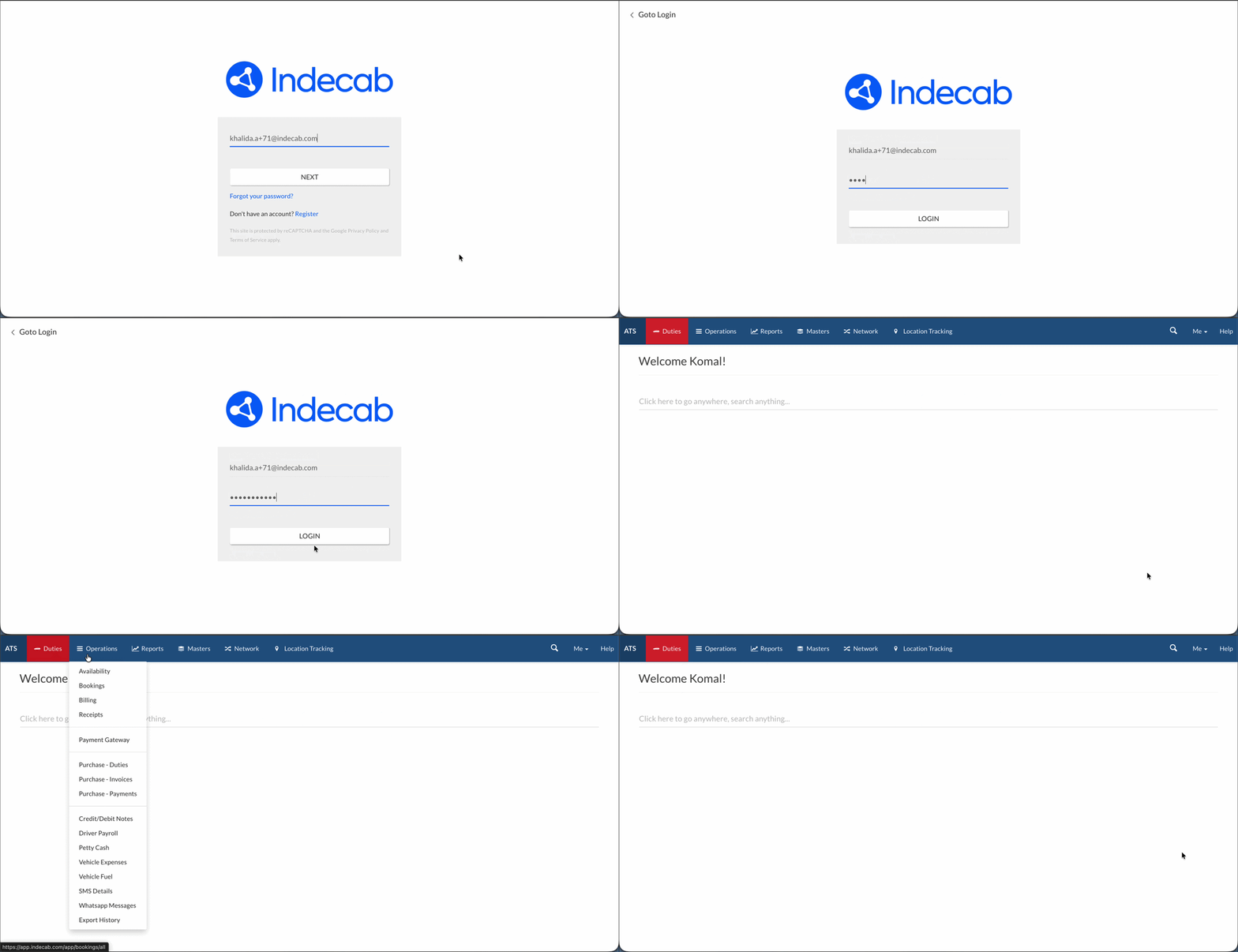
Once the permissions have been assigned, the individual can log in as an ‘employee’, including on the Indecab Corporate Mobile App. They can use this app to place bookings for themselves and others as a normal passenger login as well.
Was this Helpful?
